Please follow these simple steps in order to embed the Google Ads Conversion Tracking Code onto your Magento 2 store:
- Login to Magento 2 Admin, on the Admin Panel,
Stores > Settings > Configuration. - On the left panel, under
Sales, selectGoogle API. - Open the
Google Adwordssection, you need to do:
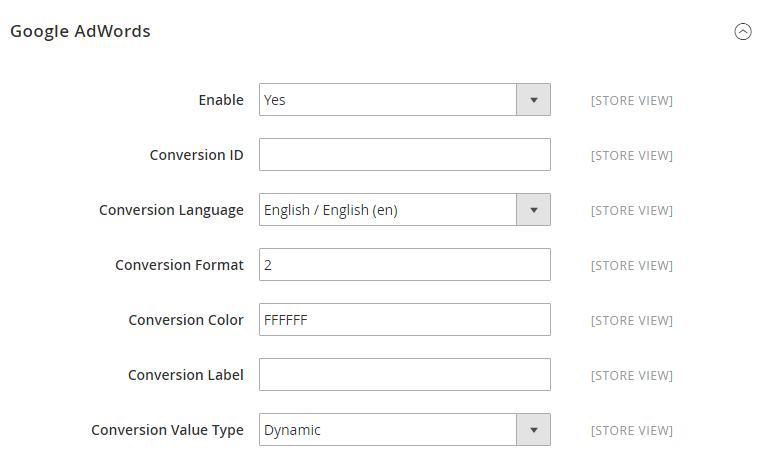
- Enable the Google Adwords by choosing Yes for that field.
- Fill your Google Adwords ID xxxxxxx in the
Conversion IDfield. (...google_conversion_id = xxxxxxx) - In the
Conversion Languagefield, choose the language that is defined in your Google Adwords script. - In the Conversion Format field, fill the number that is taken from your Google AdWords script.
- In the Conversion Color field, fill the hexadeciamal value from your Google AdWords script.
- In the Conversion Label field, fill the text xxx string from your Google AdWords script. (...google_conversion_label = xxx)
- Set the Conversion Value Type to a dynamic variable based on the Total Cost of sales.
Save Configto complete.
0 Comments